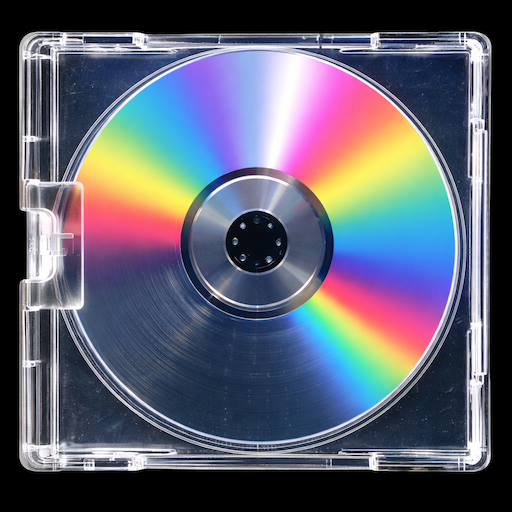

If you want your playlist to stand out, the cover matters almost as much as the music. A strong playlist cover makes your playlist feel intentional, memorable, and worth clicking.
The good news is that Spotify lets users customize playlist covers, including creating cover art directly in the Spotify app on mobile and tablet, and adding a custom image on mobile, desktop, and the web player. Spotify also notes that playlist and profile images must follow its platform rules and cannot violate copyright, trademark, or personal image rights.
Whether you are making a chill mix, gym playlist, sad songs collection, or a party set, here is how to create a Spotify playlist cover that actually looks good.
What makes a good Spotify playlist cover?
A good playlist cover is simple, readable, and matched to the vibe of the music.
The best covers usually have:
- one clear visual direction
- easy-to-read text
- colors that fit the mood
- enough contrast to stand out at small sizes
- a square design that still looks good when cropped small
Spotify’s support pages confirm playlist covers are customizable, and for image uploads Spotify applies content and rights rules to playlist images.
In practice, that means your cover should feel clean and recognizable even when someone sees it as a tiny thumbnail.
How to make a playlist cover for Spotify
1. Start with the mood of the playlist
Before choosing fonts or colors, decide what the playlist is supposed to feel like.
Ask yourself:
- Is it calm or energetic?
- Clean and minimalist or loud and bold?
- Personal and emotional or fun and playful?
A late-night R&B playlist should not look like a heavy gym mix. The design should match the sound.
2. Pick a background that fits the vibe
Your background is the foundation of the design. This can be:
- a photo
- a texture
- a gradient
- a minimal solid color
- a curated graphic background
If the playlist title is the main focus, avoid backgrounds that are too busy. If the title is short, you can get away with a more visual design.
3. Keep the text short
Most great playlist covers use very little text. Usually the playlist title alone is enough.
Good examples:
- afterglow
- late drive
- soft chaos
- gym mode
- crying in color
Shorter titles are easier to read and usually look more polished.
4. Choose fonts that match the playlist style
Fonts do a lot of the emotional work in a playlist cover.
A few easy rules:
- serif fonts feel elegant or cinematic
- bold sans-serif fonts feel modern and energetic
- script fonts can feel personal, soft, or nostalgic
- all caps usually feel stronger and cleaner
- mixed styles can work, but only when used carefully
The goal is not to use the fanciest font. It is to use the one that fits the mood best.
5. Use contrast so it reads at thumbnail size
Spotify playlist covers are viewed small most of the time, so readability matters.
Try this:
- dark text on light backgrounds
- light text on dark backgrounds
- avoid placing text over detailed parts of a photo
- leave some breathing room around the title
If someone cannot read the cover in one second, simplify it.
6. Export a clean square image
Spotify playlist art is square, so your design should always be built with a 1:1 layout in mind. Spotify’s general cover-art guidance for music releases also uses a 1:1 aspect ratio and recommends high resolution image files, which is a useful design standard even though playlist-cover support is documented separately.
A square canvas helps your cover stay centered and balanced.
7. Add it to your Spotify playlist
Spotify says users can customize playlist covers, create cover art in the Spotify app on mobile/tablet, and add their own image on mobile, desktop, and the web player. Exact button labels can vary a bit by device and app version, but the feature is officially supported.
If you already have your design ready, the last step is simply updating the playlist image inside Spotify.
Common playlist cover mistakes
Here are the biggest mistakes people make:
Too much text
Long titles usually look messy and are hard to read.
Too many effects
Shadows, outlines, glow, textures, and stickers can work, but too many at once make the cover feel cluttered.
No clear focal point
Every cover needs one main thing to notice first. Usually that is the title, the image, or a strong color block.
Using copyrighted or protected imagery
Spotify’s image guidelines say uploaded playlist images cannot violate copyright, trademark, or personal image rights.
Easier way to create a Spotify playlist cover
If you do not want to design everything from scratch, using a playlist cover maker is much faster.
Jacket helps you create custom playlist covers with:
- curated backgrounds
- easy text editing
- fonts and effects
- high-quality export
- a faster workflow than starting from a blank canvas
That makes it easier to test different looks and find one that fits your playlist without spending forever tweaking every detail.
Final thoughts
Learning how to make a playlist cover for Spotify is really about combining three things:
- the right mood
- the right visual style
- a layout that still looks good small
Keep it simple, make it readable, and match the design to the music.
If you want a faster way to make custom playlist covers, Jacket gives you a clean starting point with curated styles and simple editing tools.
Playlist cover ideas for every vibe
Ready to design your own Spotify playlist cover?
Download Jacket and create a custom cover in minutes.